
Your phone’s serial number is a unique code that identifies your exact device. You’ll often need it when you book a repair, check your warranty, make an insurance claim or report a lost or stolen phone. Here’s how to find your Android serial number in under a minute, whatever make of phone you have.
Serial number or IMEI: what’s the difference?
Both identify your phone, but they do different jobs. The serial number is set by the manufacturer and is used for warranty and repairs. The IMEI is a 15-digit number used by mobile networks; dual-SIM phones have two. If we ask for your serial number when you book a repair, it’s usually a mix of letters and numbers, such as R5CX00EXAMPLE.
Method 1: Settings › About phone (most Android phones)
This works on most Android phones, including Google Pixel, Motorola and Nokia.
- Open the Settings app.
- Scroll to the bottom and tap About phone. On some phones it’s called About device or sits under System.
- Look for Serial number. On a Google Pixel, tap Model (or Model & hardware) to see it.
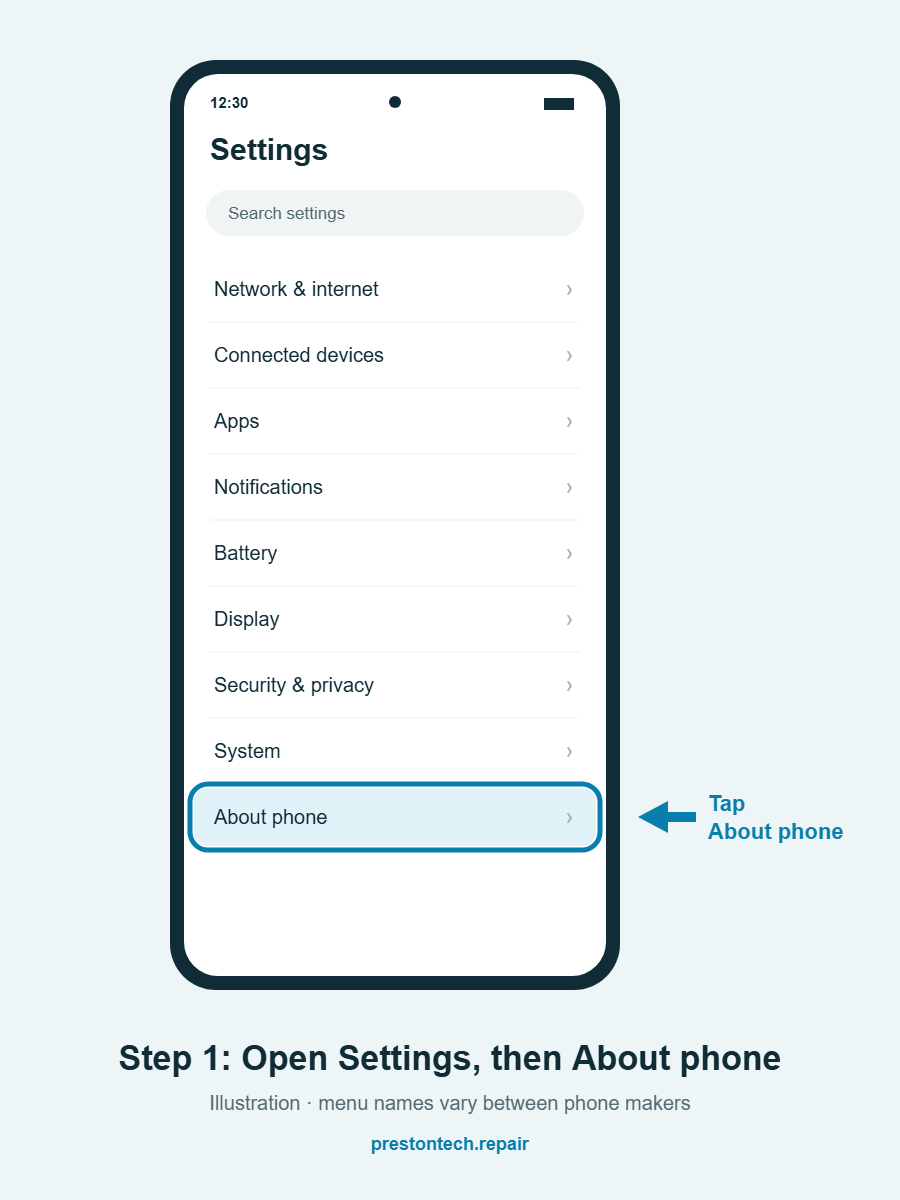
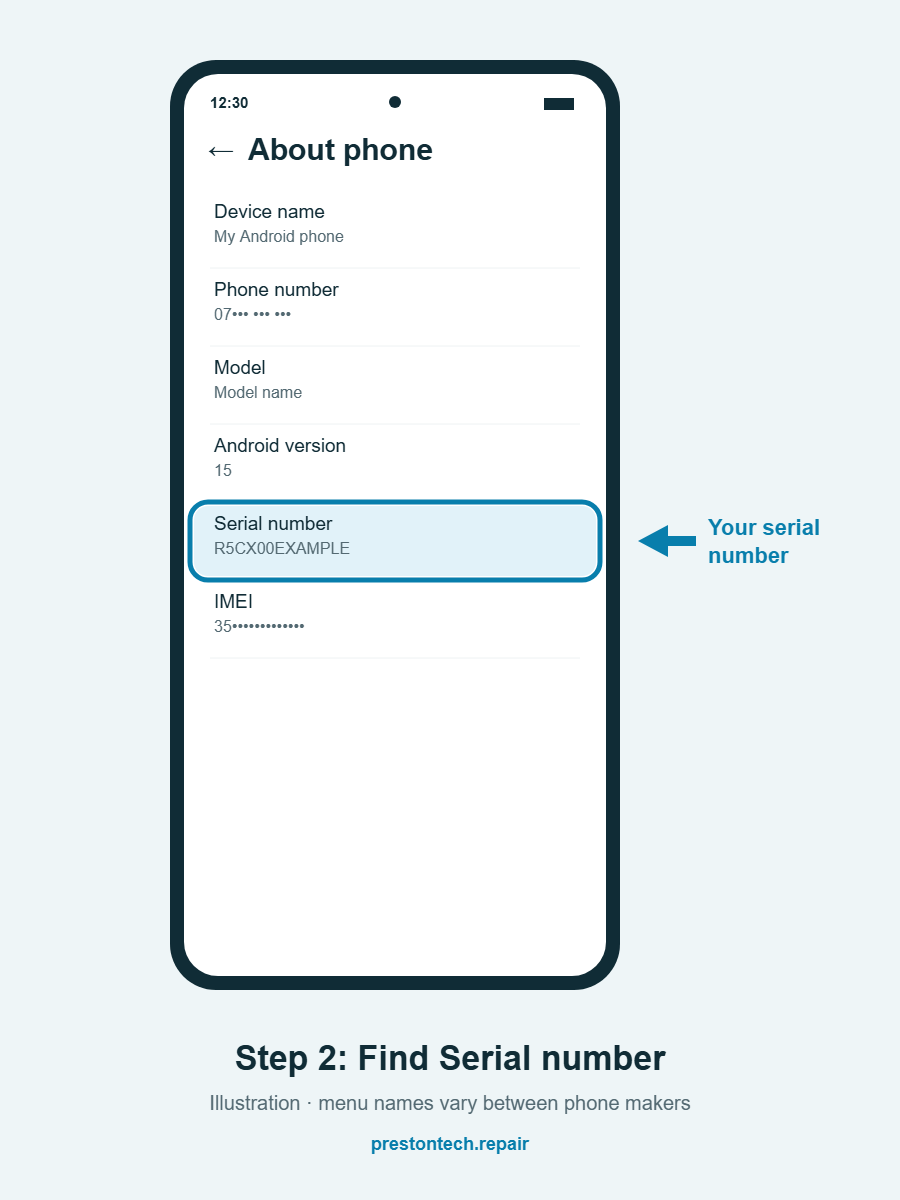
Quick tip: can’t find it? Tap the search bar at the top of Settings and type serial. Android will take you straight to the right screen.
Method 2: Samsung Galaxy phones
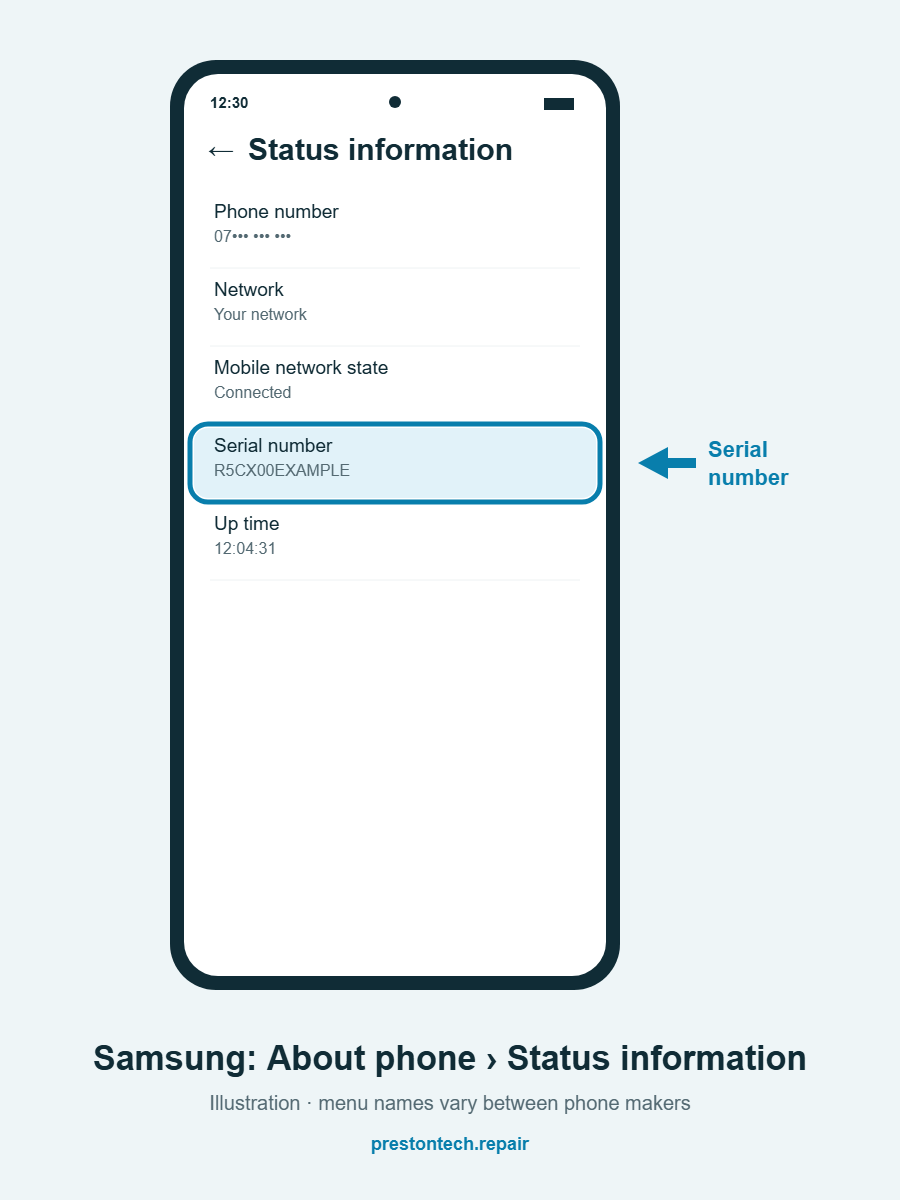
On Samsung phones the serial number is one level deeper:
- Open Settings.
- Tap About phone.
- Tap Status information.
- Your Serial number is shown in the list.
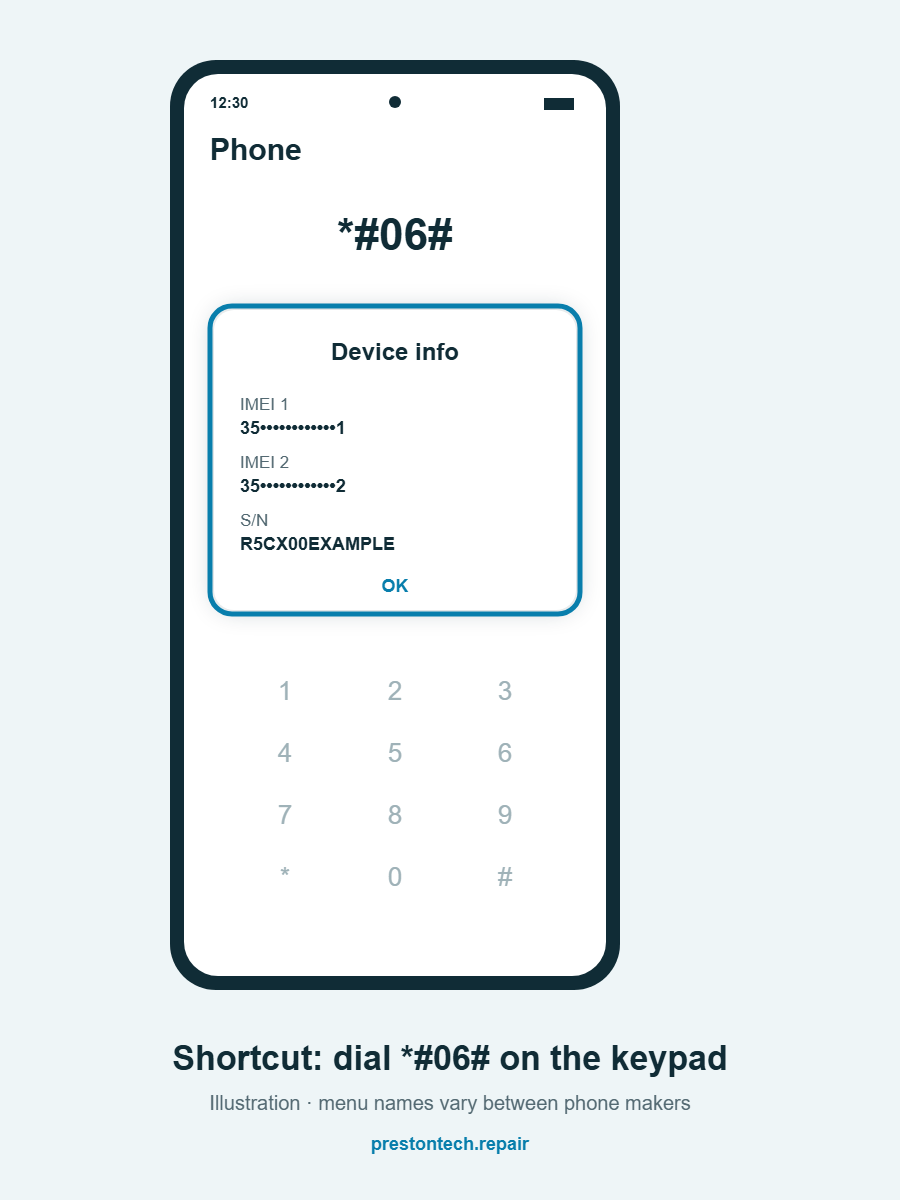
Method 3: Dial *#06#
Open the Phone app and type *#06# on the keypad. A box appears straight away showing your IMEI number. On many phones, including most recent Samsung models, the serial number is shown too, labelled S/N. You don’t need to press call, and it doesn’t cost anything.
What if my phone won’t turn on?
If your screen is broken or the phone won’t power up, you can still find the serial number:
- The original box: look for a label on the side or back of the box with the serial number and IMEI.
- Your receipt or order confirmation: many retailers list the serial number or IMEI.
- Your network provider: if the phone came on contract, your provider can usually tell you the IMEI.
- Just tell us: if you’re booking a repair and can’t find it, that’s fine. Our technician can check the device when they arrive.
Keep your Android serial number handy
Take a screenshot of your serial number and IMEI and keep it somewhere safe, such as your email or a notes app. It makes warranty claims, insurance and repairs much quicker. There’s no need to share it publicly online.
Need your phone repaired?
Still can’t find it? Google’s Android Help explains how to contact your phone’s manufacturer, who can look it up for you.
Our mobile repair unit fixes Android phones at your home or workplace across Preston and up to around 25 miles away. Get an instant quote or call 01772 414 324. More guides are on our help guides page.